


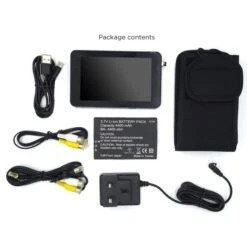
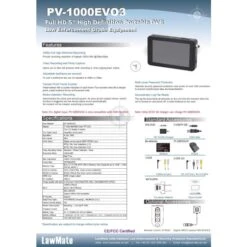
Digital Video Recorder – PV1000 EVO3 – LawMate
Original price was: $313.00.$98.99Current price is: $98.99.
- Top Quality Products
- Fast, friendly, always here to help.
- Expertly Sourced, Quality Guaranteed
- Protect Your Wallet with Safe Payments

LawMate PV1000 EVO3 – Pocket DVR Specification
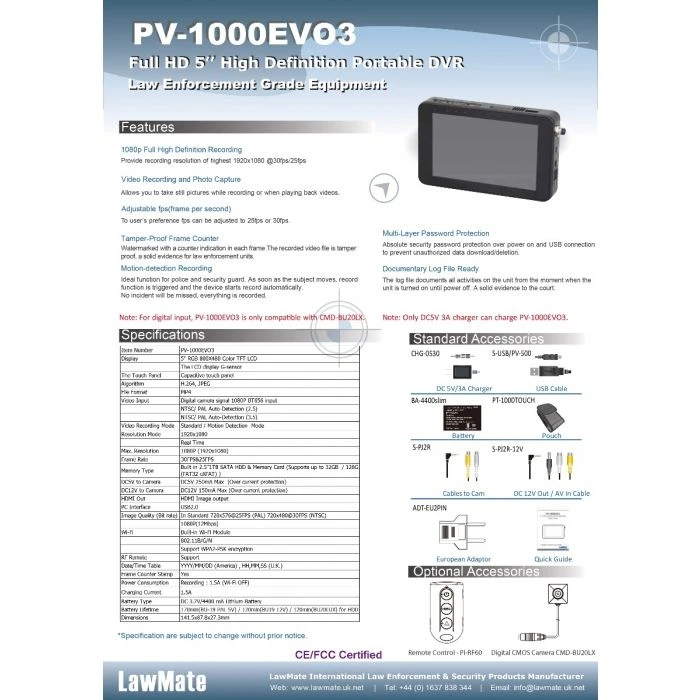
This is the new LawMate PV1000 EVO3 digital video recorder and it’s had a major upgrade to make it one of the most versatile portable hard disk digital video recorders available on the market.
Built to extremely high LawMate standards, the PV1000 EVO3 is fitted with a 5-inch high definition touch screen panel making the menu navigation and operation of the unit extremely easy. We have also included Wi-Fi P2P & IP connectivity with this recording solution to make operation even easier.
The built-in hard disk has been upgraded to 1TB capable of storing many days of high-quality video and audio.
PV1000 EVO3 also now has the ability to record at 1080p when connected to a LawMate high definition digital
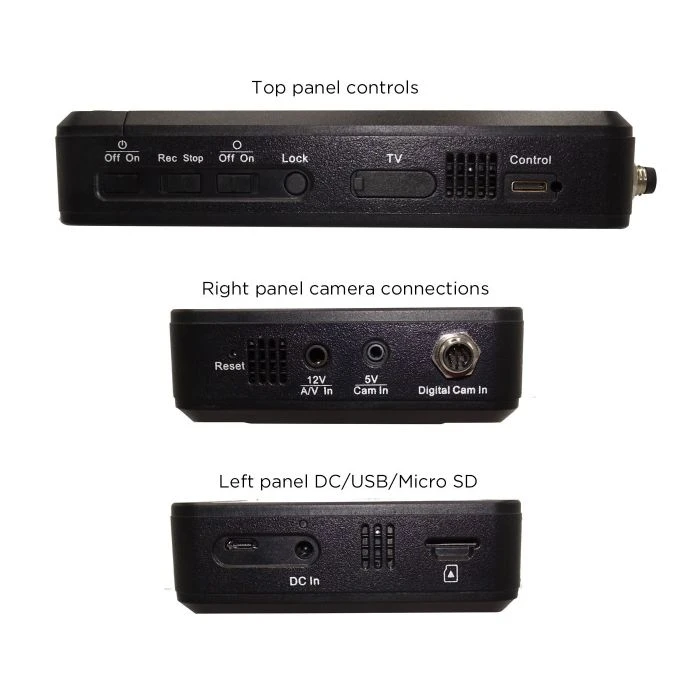
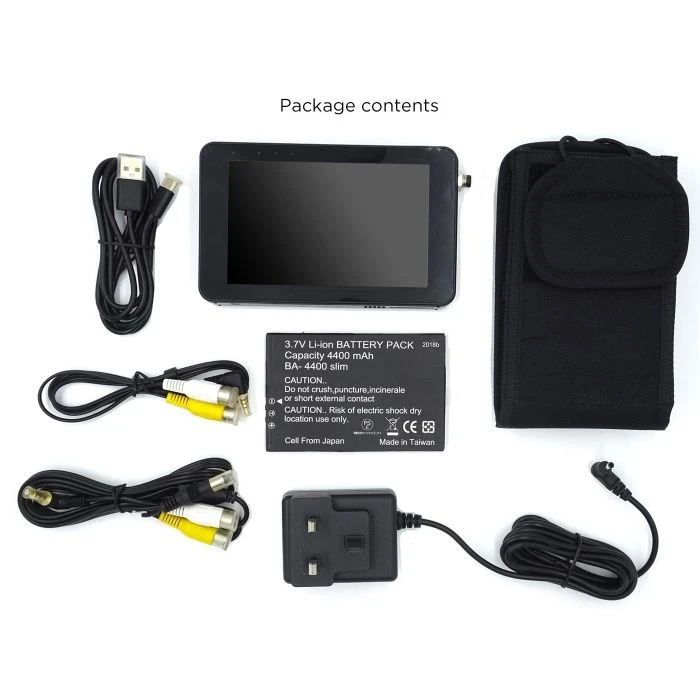
This recorder, as with earlier PV1000 models, can also utilise a . Further, when used with the supplied AV input cable, this recorder can also be used with non-LawMate camera options too. With a new upgrade, this recorder will now support both 5V cameras and 12V cameras with the supplied cabling. It also has a Mini HDMI output for connecting to HD television or monitors.
The PV1000 portable digital video recorder is the perfect tool for locked off surveillance systems, traffic surveillance, body-worn surveillance amongst many other applications.
HD Resolution Capability
HD refers to high definition or 720p/1080p resolution, 1080p is known as Full HD. This resolution is a significant step up from 480p which can be seen in the image (on the right).
The first figure (1920) refers to horizontal pixels and the second figure (1080) denotes vertical resolution. The simple difference between HD and SD images is the number of pixels contained in the image
HD vs SD (Click Image to Expand)
H.264 Video Compression
H.264 is a video compression for digital video recorders to use when reducing video file sizes without losing resolution in the captured footage. H.264 standard compresses the footage so that only half the storage space is used however the same video quality is maintained. Advanced Video Coding (AVC) uses Macroblocks to process information in 16x16px blocks.
Motion Detection Benefits
Motion detection improves your home security as a device can lay dormant to avoid filling memory cards with wasted still footage and will activate when motion is detected.
Alongside avoiding wasted memory it will also save on energy usage and is more convenient when reviewing footage.
Record by Detecting Motion
The Benefit of Wi-Fi
With the ability of Wi-Fi connectivity, you can instantly review the footage you have captured on a smartphone, desktop application or tablet depending on what software comes with your device. Many will also allow you to live-stream the video content with transport apps also offering tracking.
LawMate Live-View App
App Store Links:
To manually install PV Cam Viewer on your smartphone, go to App Store (iOS) or Play Store (Android) on your phone. Enter “PV Cam Viewer” to search and download the App “PV Cam Viewer”. Once the PV icon shows on your phone, the app is successfully installed.
Live-View App QR Codes (Click Image and Scan)

| name | Digital Video Recorder – PV1000 EVO3 – LawMate |
|---|---|
| Storage Media | HDD |
| Security | Password Protection (Playback), Password Protection (Settings) |
| Audio Channels | 1 Channel |
| Audio | Yes |
| Power Consumption | Recording: 1.5 A (Wi-Fi Off) |
| IR Remote Control | Yes |
| Activation | Video Motion Detection (VMD) |
| Storage Capacity | 1 TB |
| Audio/Video (AV) | Video and Audio |
| Product Type | Digital Video Recorders |
| Video Format | MJPEG |
| Video Resolution | 1920×1080 (HD 1080) |
| GPS | No |
| Video Codec | H.264 |
| FPS | 30 FPS |
| e-marked | No |
| SKU | PV-1000EVO3 |
| Built in | Wi-Fi |
Be the first to review “Digital Video Recorder – PV1000 EVO3 – LawMate”
Related products
Accessories
Reviews
There are no reviews yet.