


Glasses Camera – PV-EG20CL – LawMate
Original price was: $216.63.$99.99Current price is: $99.99.
- Top Quality Products
- Fast, friendly, always here to help.
- Expertly Sourced, Quality Guaranteed
- Protect Your Wallet with Safe Payments

LawMate PV-EG20CL – Clear Lens Glasses Camera Specification
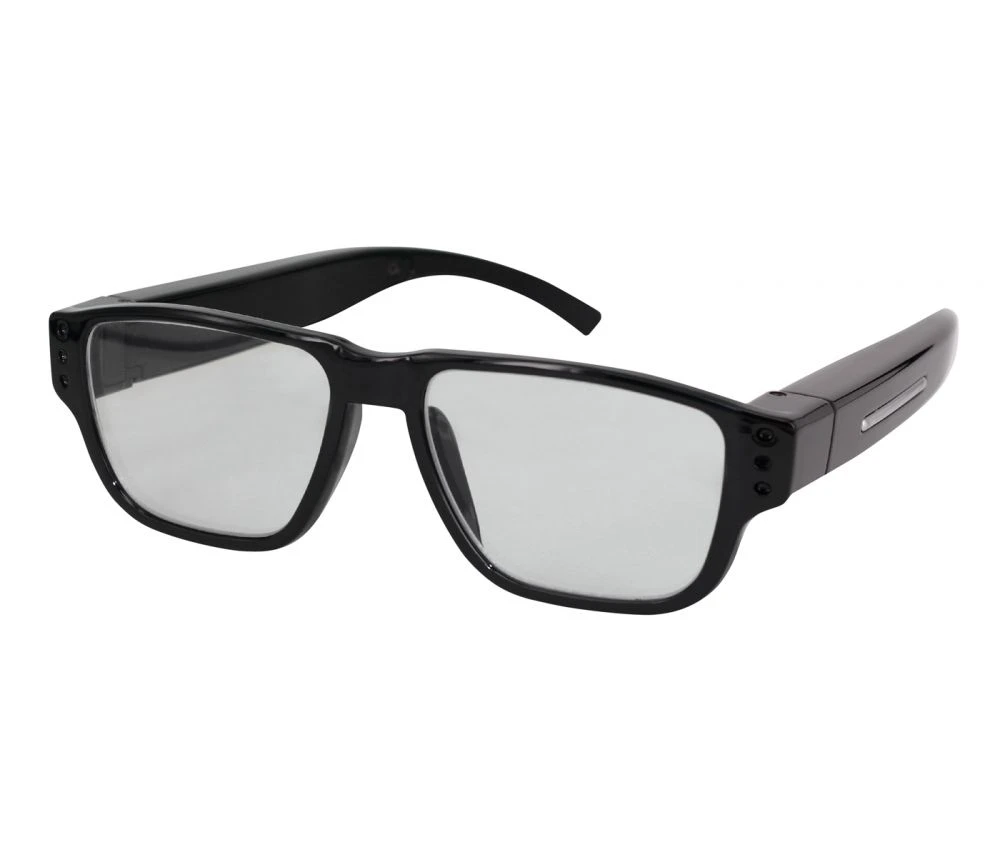
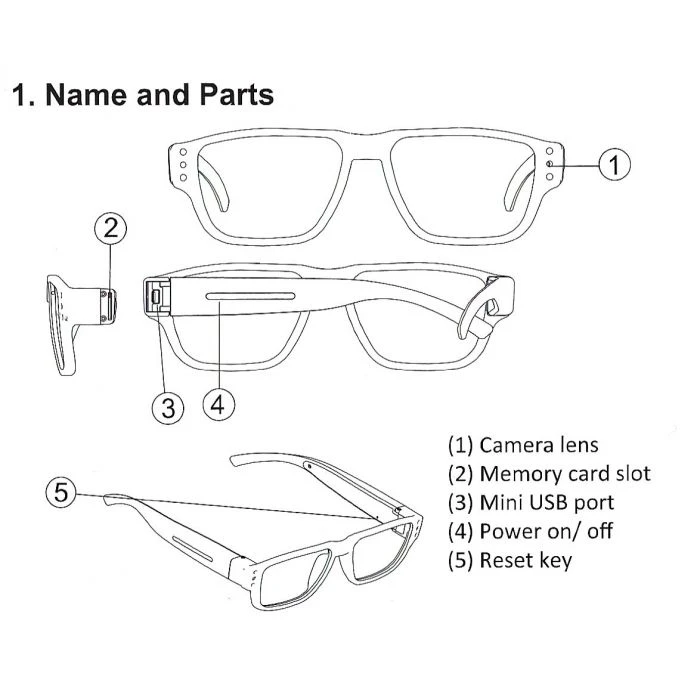
This is the new LawMate PV-EG20CL Glasses DVR, a self-powered 720p HD recording system cleverly disguised as reading glasses.
The EG20CL Glasses provide a stylish design concealing a covert video recording system producing law enforcement grade video and audio which is also watermarked with the time and date. We also offer the new version.
All recordings are stored on a Micro SD card (which is provided) using standard H.264 encoding with a .AVI video file format. The built-in battery will provide around 70 minutes of continuous recordings.
Whilst there are many covert video glasses available, many are bulky in design and offer poor reliability. LawMate has developed the PV-EG20CL Glasses to offer excellent video and audio quality whilst remaining very straightforward to set-up and operate.
Activating the EG20CL is a single button operation on the left sidearm.
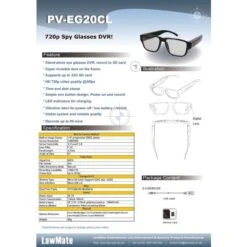
Features:
- 720p HD video quality
- Super invisible frame-mounted lens
- Simple one-button operation, power on and record
- Watermarked time and date
- Vibration alert for record / low battery / power off
- Built-in rechargeable battery, circa 60 minutes of continuous recording
- Angle of view is 67 degrees
- Supports up to a 32gb Micro SD card
- H.264 .AVI file format
- Dimensions:
Arm 146 mm – Bridge 11 mm – Total Width 142 mm – Total Height 43 mm
Lens Height 37 mm – Lens Width 54 mm - Weight, 40g
HD Resolution Capability
HD refers to high definition or 720p/1080p resolution, 1080p is known as Full HD. This resolution is a significant step up from 480p which can be seen in the image (on the right).
The first figure (1920) refers to horizontal pixels and the second figure (1080) denotes vertical resolution. The simple difference between HD and SD images is the number of pixels contained in the image
HD vs SD (Click Image to Expand)
H.264 Video Compression
H.264 is a video compression for digital video recorders to use when reducing video file sizes without losing resolution in the captured footage. H.264 standard compresses the footage so that only half the storage space is used however the same video quality is maintained. Advanced Video Coding (AVC) uses Macroblocks to process information in 16x16px blocks.
LawMate Live-View App
App Store Links:
To manually install PV Cam Viewer on your smartphone, go to App Store (iOS) or Play Store (Android) on your phone. Enter “PV Cam Viewer” to search and download the App “PV Cam Viewer”. Once the PV icon shows on your phone, the app is successfully installed.
Live-View App QR Codes (Click Image and Scan)

| name | Glasses Camera – PV-EG20CL – LawMate |
|---|---|
| Format | AVI |
| Battery Type | DC 3.7V / 270mA polymers battery (XK601245) |
| GPS | No |
| Power Consumption | 150mA-180mA |
| Power Supply | DC 5V |
| Storage Capacity | 32 GB |
| Storage Media | Micro SD |
| Memory Type | Micro SD Card |
| Resolution | 720p |
| FPS | 30 FPS |
| Video Resolution | 1280×720 (HD 720) |
| Algorithm | MJPG |
| Product Type | Spy Cameras |
| Angle of View | 67° |
| Focal Length | 3.7mm |
| Lens F/No | F 2.8 |
| Sensor Sensitivity | 3.3 Lux @F 2.8 |
| Sensor Resolution | 1280*960 |
| Built-in Image Sensor | 1/4" progressive CMOS sensor |
| Camera Shape | Covert |
| Channel Input/Output | CVBS (Analogue) |
| Dimensions | Arm 146 mm * Bridge 11 mm * Total Width 142 mm * Total Height 43 mm Lens Height 37 mm * Lens Width 54 mm |
| SKU | PV-EG20CL |
| Battery Life | Continuous Video recording 60 min |
Be the first to review “Glasses Camera – PV-EG20CL – LawMate”
Related products
Heavy Goods Vehicle
Heavy Goods Vehicle
Heavy Goods Vehicle
Heavy Goods Vehicle

Combat Domestic Violence
Bus or Coach

Bus or Coach
Reviews
There are no reviews yet.